The sleep timer your Mac is missing
Falls asleep with you: countdown, exact time, or the nights you choose — right from the menu bar. Music fades, screen dims, Mac sleeps.
Get it on the Mac App Store$2.99 · one-time purchase · no subscription
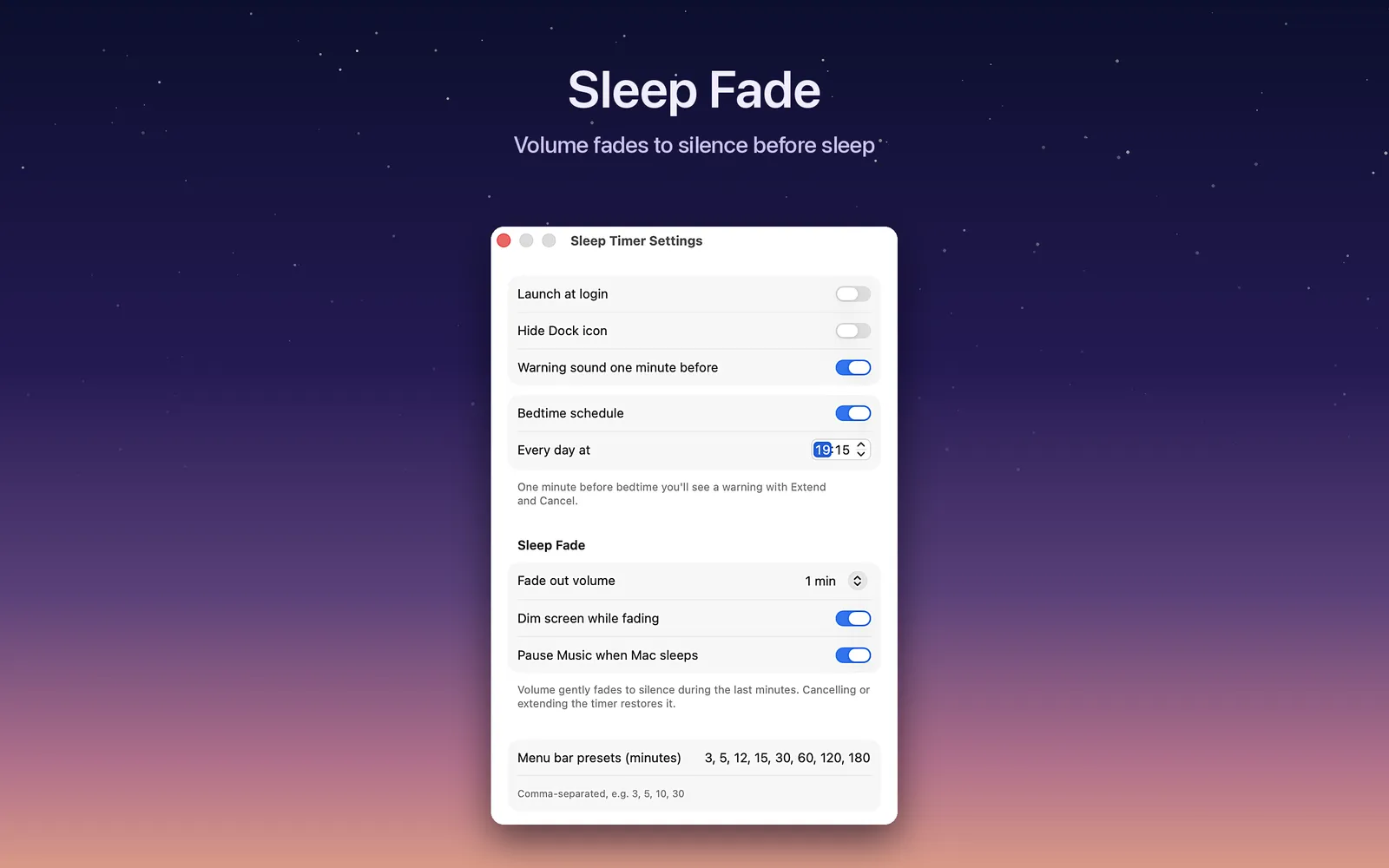
Sleep Fade — drift off, don't cut off
In the last minutes of the countdown, your Mac's volume melts away along a gentle curve — no jarring cut mid-track. If you like, the screen dims with it, and Apple Music is paused right before sleep so nothing plays on in the dark.
Everything a bedtime Mac needs
Menu bar countdown
A live countdown and a progress ring sit right in the menu bar, so you always know how long the night still has.
Widget & Control Center
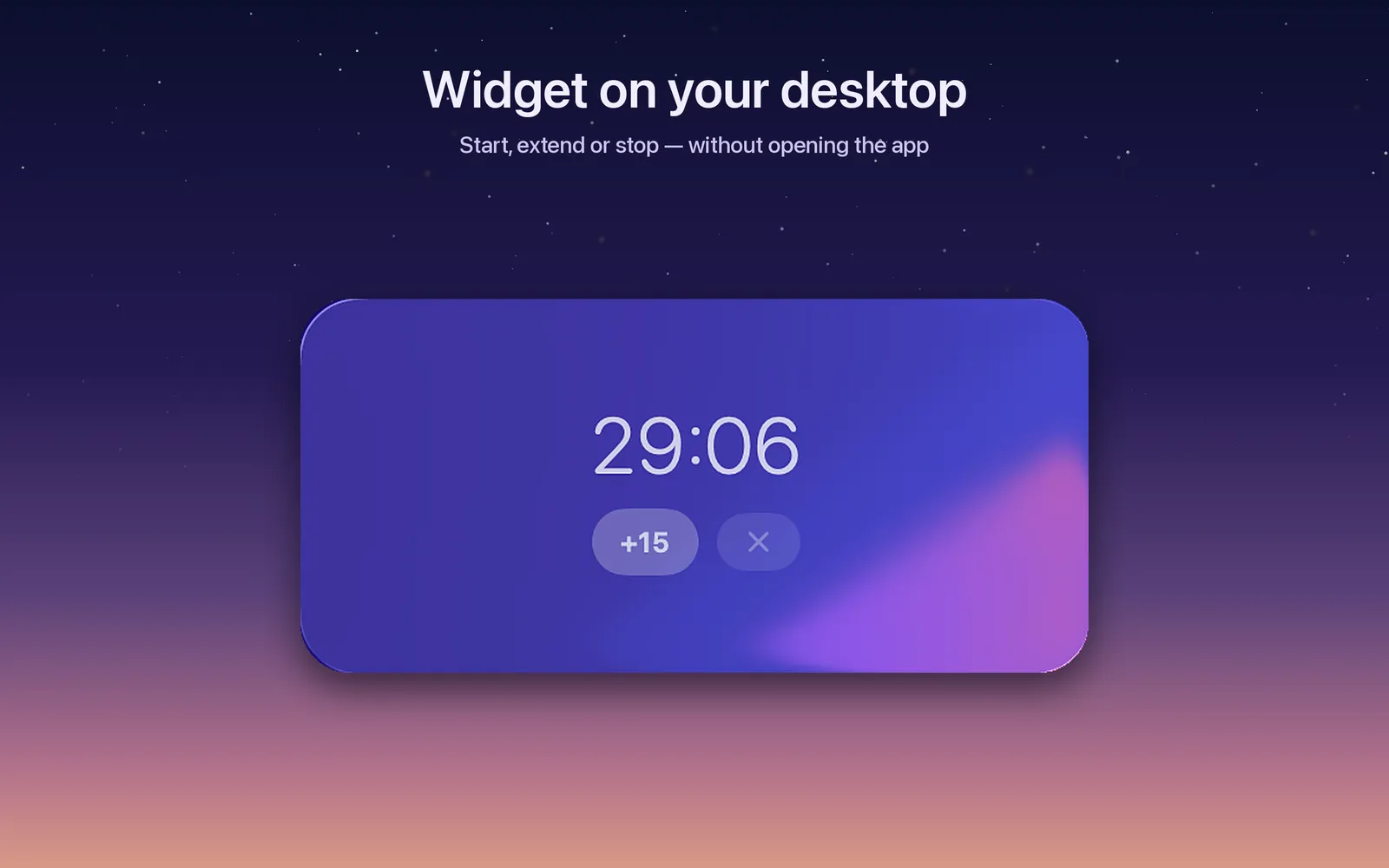
A desktop widget with Start 30 min, +15 and Stop buttons — plus a toggle in Control Center on macOS 26 and later.
Siri, Shortcuts & Spotlight
Built on App Intents: start or extend the timer by voice, wire it into Shortcuts automations, or launch it from Spotlight.
Bedtime schedule
Pick the nights and give each one its own time — 11 on weeknights, 1 AM on Fridays, weekends left alone. Your Mac keeps the routine even when you forget.
Night remote
A global hotkey brings up a full-screen countdown in dark red, readable across the room and over whatever is playing. Space buys 15 more minutes.
Time in plain words
Type "40 min", "at 11:30 pm" or "1.5 hours". Reading happens on your Mac — on macOS 26 and later an on-device model handles the loosest phrasings.
Dim screen, keep audio
Fade the display to black while the music or podcast plays on. Move the mouse and the screen comes back.
10 languages
Fully localized — from English and German to Japanese and Ukrainian.
- Native SwiftUIa real Mac app, Apple Silicon & Intel
- No network accessnothing ever leaves your Mac
- No trackingnothing to opt out of
- No subscription$2.99 once, free updates
Three clicks to lights out
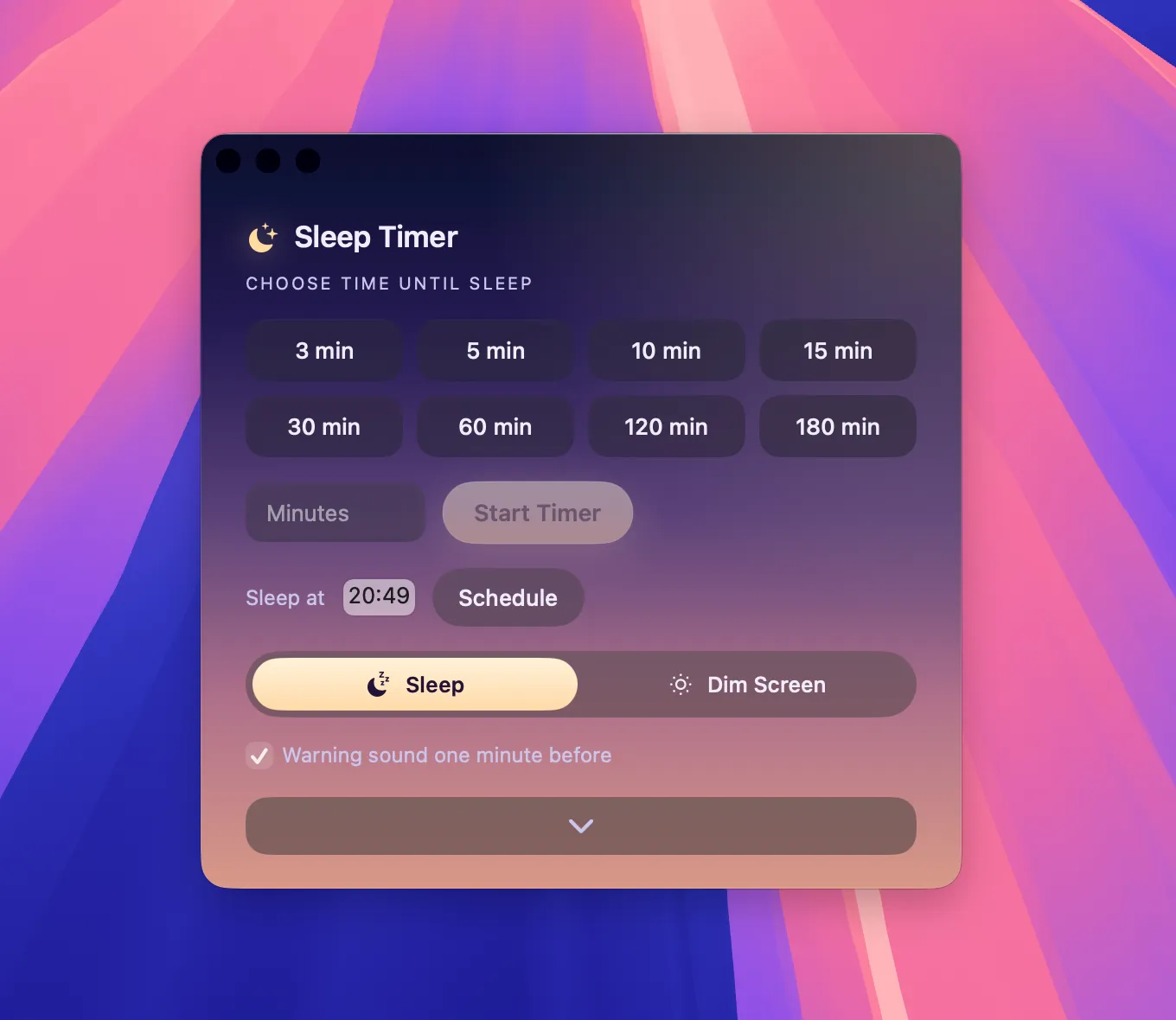
Pick a preset or exact time
One click on a preset, or set the exact minute. The countdown starts and lives in your menu bar.
Or start from the widget
Start 30 minutes, add 15, or stop — straight from the desktop widget, without opening the app.
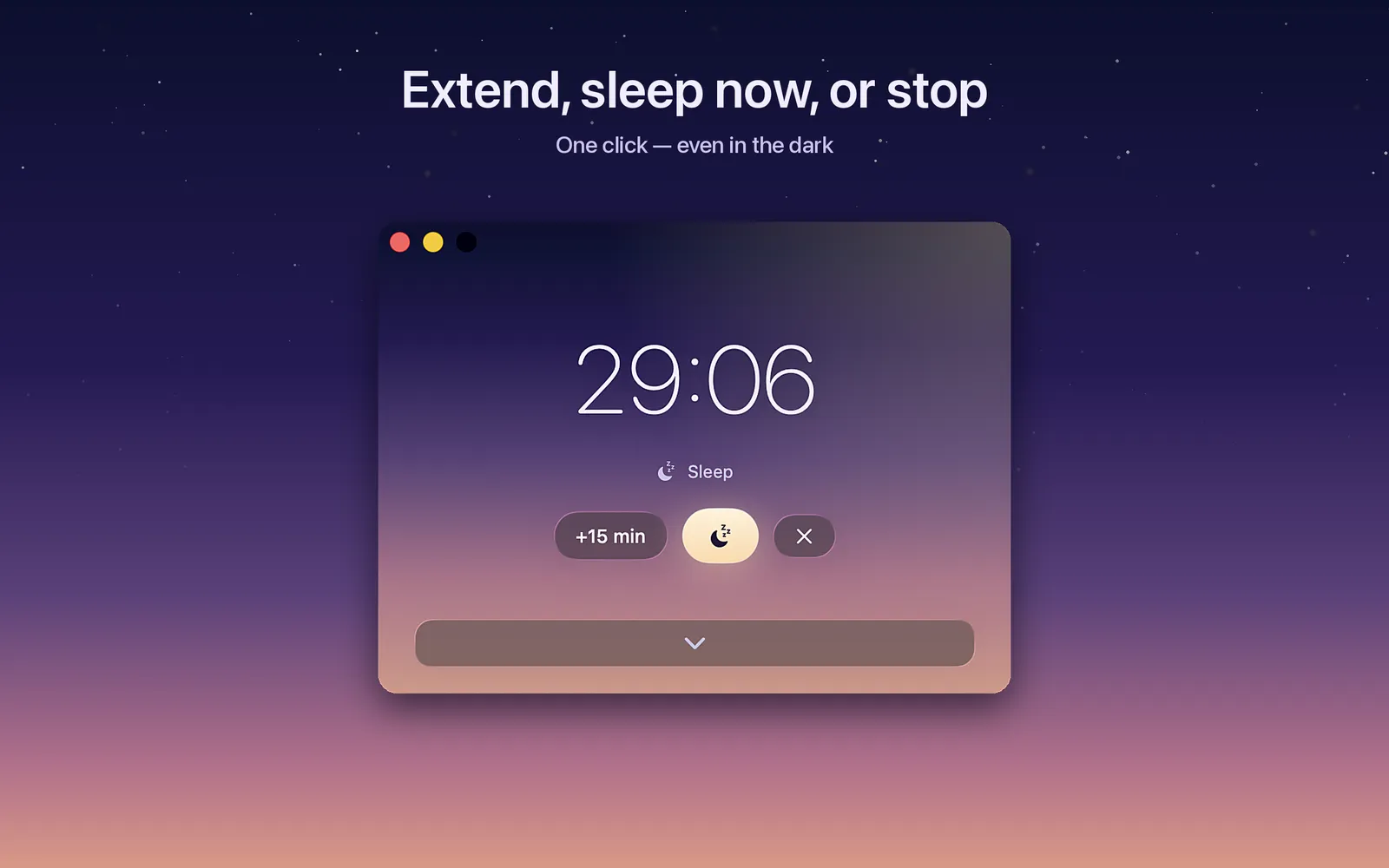
A gentle heads-up before sleep
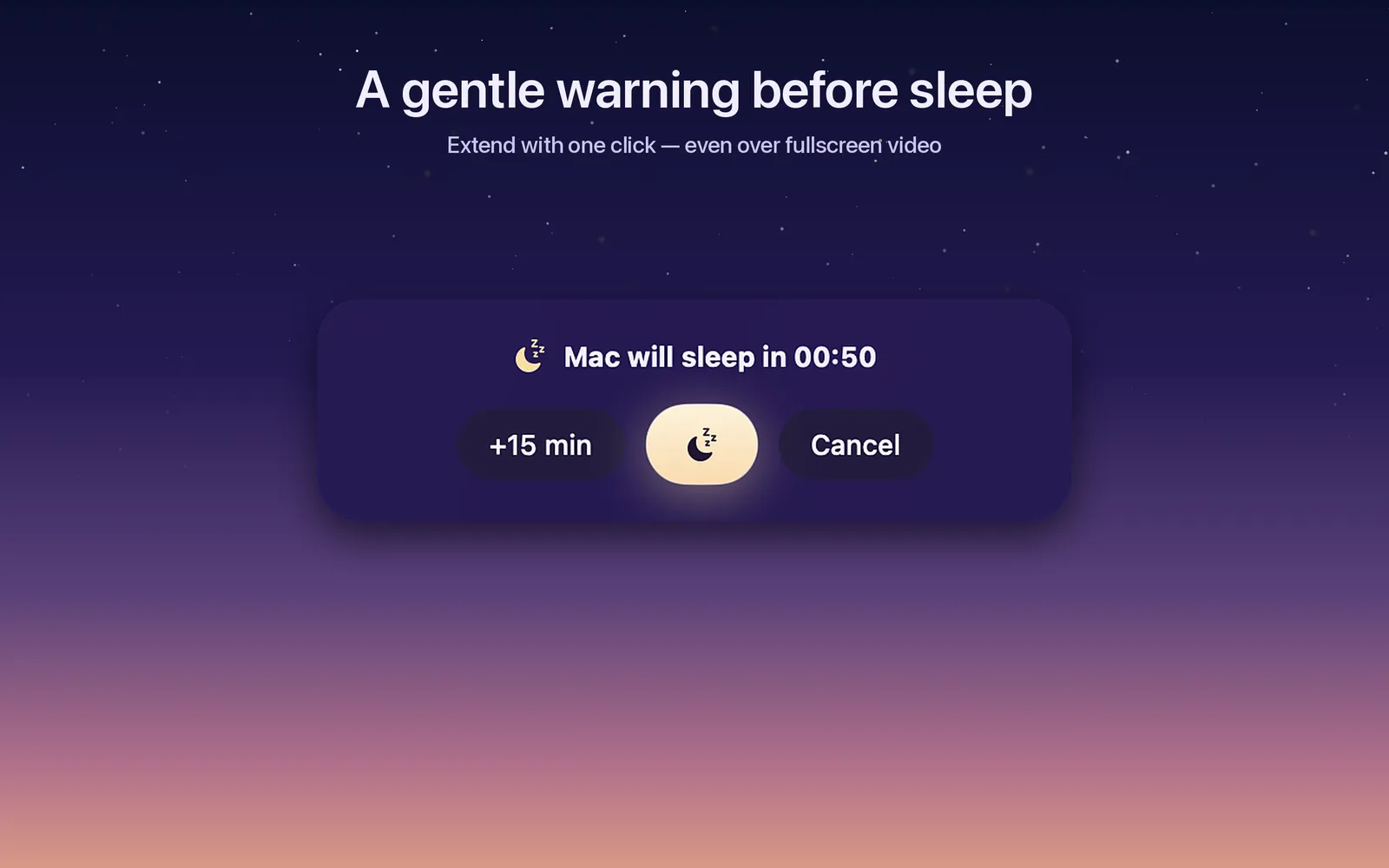
Right before the Mac sleeps you get a quiet warning — take +15 min if you are not done, or let the night win.
Frequently asked questions
Does it work with Spotify?
Yes — with anything your Mac plays. Sleep Fade lowers the system volume to silence, and when the Mac sleeps, playback stops. Sleep Timer can additionally pause the Apple Music app itself; other players are stopped by the fade and sleep.
Can it pause Apple Music instead of just muting?
Yes. An optional setting pauses the Apple Music app right before the Mac goes to sleep, so nothing keeps playing in the background.
Can it turn the screen dark but keep music playing?
Yes. The Dim Screen action fades the display to black while audio keeps playing. Move the mouse and the screen comes back.
Can I set different schedules for weekdays and weekends?
Yes. Pick the nights the schedule runs and set a time for each one — 11 PM on weeknights, 1 AM on Fridays, weekends left alone. Nights you leave unticked are never touched.
What happens right before the Mac sleeps?
You get a gentle warning with one-click options: extend by 15 minutes or let it sleep. No surprise shutdowns mid-sentence.
Does it support Siri, Shortcuts and Spotlight?
Yes. Start, extend or cancel the timer with Siri, build automations in Shortcuts, or launch actions from Spotlight. There is also a desktop widget and a Control Center toggle on macOS 26+.
Which macOS versions are supported?
macOS 14 Sonoma and later, fully native on both Apple Silicon and Intel Macs.
Is it a subscription?
No. Sleep Timer is $2.99 once on the Mac App Store. No subscription, no in-app purchases, free updates.
Does it collect any data?
No. The app has no network access at all — nothing is tracked, nothing leaves your Mac.